

Practical guide
How to Plan Odoo Inventory for Multiple Warehouses
Plan multiple warehouses by mapping where goods physically arrive, are stored, move between sites and leave for customers. Use warehouse and location structures that reflect the operation, then define transfer ownership, reservation and replenishment. Test partial movements and competing demand before launch. A separate physical site does not automatically require a separate legal company in Odoo.
Official Odoo Partner · Ever Digital
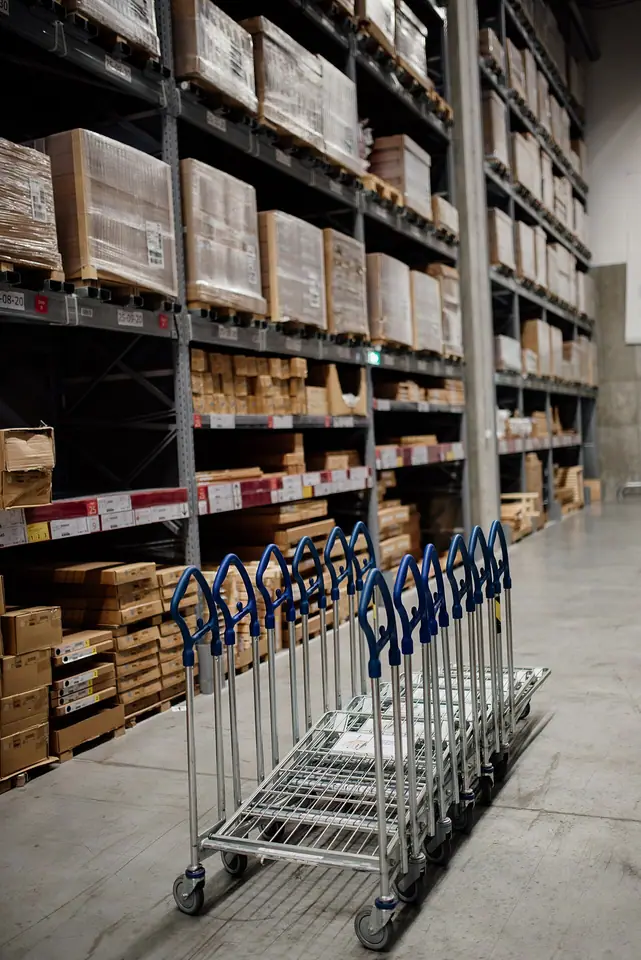
Draw the physical movement before creating warehouse records.
List receiving points, storage areas, dispatch areas, returns and any goods held between sites. Ask staff to trace a typical item from supplier arrival to customer delivery. Include movements that currently happen through a phone call or an informal stock adjustment.
Identify who confirms departure and arrival for each transfer. A company-wide quantity may remain unchanged while responsibility and availability change during transport. The configuration should make those changes understandable rather than treating every site as an isolated stock spreadsheet.
Choose the structure for the meaning it represents.
These concepts should be decided together with operations and finance.
| Concept | What it represents | Question to answer |
|---|---|---|
| Legal company | A distinct company and its accounting context. | Is the stock held by the same legal entity or another one? |
| Warehouse | A warehouse operation and its configured flows. | Does this site need its own receiving, storage and dispatch process? |
| Location | A position or operational area within the stock structure. | Where are goods physically or operationally separated? |
| Transit flow | The movement between responsible locations or sites. | Who confirms each side and how is incomplete transport identified? |
Use the number of receipt and delivery steps the team can maintain.
A small operation may need a direct receipt and delivery process. A larger site may separate receiving, inspection, storage, picking or packing. Each additional step should represent an actual handoff or control rather than a theoretical ideal that staff will bypass.
Walk through a partial receipt and a shipment with a missing item. Confirm where the remainder appears and who decides what happens next. If the process is too complex for the available staff and equipment, simplify it while preserving the controls the business genuinely requires.

Odoo documentation · CC BY-SA 4.0 · CC BY-SA 4.0
Original documentation image, shown without altering the interface. The screenshot illustrates standard Odoo, not a customer implementation.
Distinguish total stock from stock available for a particular promise.
Sales staff may see goods at another site, incoming supply or quantities already committed to other demand. Agree how those positions affect a delivery promise. The required dispatch location, transfer time and reservation rules should be part of the decision.
Test two orders competing for limited goods, then move stock between sites. The salesperson and warehouse operator should explain the same remaining obligation. Avoid using a broad on-hand total as evidence that a specific customer order can be dispatched immediately.
Choose how one warehouse should resupply another.
A central warehouse may supply branches, while some sites buy directly from suppliers. Identify the intended routes and replenishment policy for each relevant product group. Odoo documents warehouse resupply and reordering rules, but the configured result must be tested against the business’s actual supply model.
Include a delayed internal transfer and a partially fulfilled replenishment. Determine who reviews the shortage and whether another supply action is appropriate. Automatic procurement should follow an approved policy, not compensate for unclear stock ownership.
Prepare an opening position for the same structure.
The count and migration must use the locations and identifiers selected for daily operations.
- Product references, variants and units used consistently across all sites.
- Opening quantities by the agreed warehouse and location.
- Required lots, serial numbers and expiry information.
- Damaged, returned, customer-owned or restricted goods with their agreed treatment.
- Transfers already in progress at the cutover date.
- Finance-approved valuation and reconciliation separate from physical quantity checks.
Pilot a transfer that does not finish exactly as planned.
Move a representative quantity from one site to another, then record a short receipt or a delay. Inspect source stock, destination stock and any intermediate position. Staff should be able to identify the outstanding movement without changing the original quantity merely to make the records agree.
Follow that stock into a customer delivery and any return. This checks the complete chain instead of only the transfer screen. Ever Digital can help map the sites, select the appropriate structure and define the acceptance evidence needed before a broader warehouse rollout.
Questions businesses ask
Does every branch require a separate company?
No. Legal companies, operating branches and physical warehouses represent different concepts. Choose the structure according to accounting, ownership and operational responsibilities.
Can a central warehouse supply other warehouses?
Odoo documents warehouse resupply workflows. Configure the intended routes and replenishment rules, then test partial and delayed supply.
Why can total stock differ from what a salesperson can promise?
Location, reservations, incoming supply and transfer requirements can affect fulfilment. The business needs a defined availability and commitment policy.
What should a multi-warehouse pilot include?
A receipt, inter-site transfer, partial or delayed arrival, customer delivery and return, with quantity and valuation checks appropriate to the scope.
Sources and factual scope
Capabilities checked against official Odoo documentation. These are planning examples, not promises that every feature is included in a Starter package.
- Odoo: warehouse management
- Odoo: locations
- Odoo: warehouse resupply
- Odoo: reordering rules
- Odoo: forecasted stock
- Odoo: inventory counts
Reviewed:
Ever Digital
Bring your real workflow to the conversation.
Tell us how you sell, stock, deliver or service. We will identify the standard apps, decisions and any extensions your implementation needs.
View Starter packages Current implementation fees and included scope are maintained on the Starter package pages. Odoo licences, hosting and custom work are separate.