

Odoo app guide
Odoo Point of Sale: Counter Sales & Store Operations
Odoo Point of Sale supports browser-based counter sales for shops and restaurant workflows. A retail rollout must connect product selection, payment recording, stock effects, returns and session reconciliation. Ever Digital helps configure and test that operating cycle. Payment terminals, printers, scanners, delivery integrations and network behavior must be validated for the actual hardware, providers and deployment.
Official Odoo Partner · Ever Digital
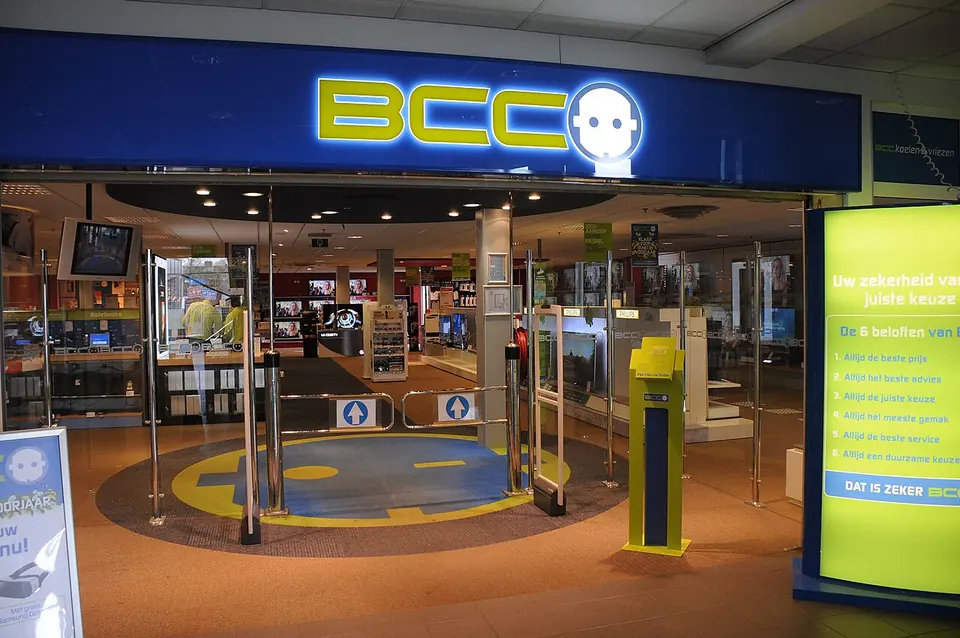
Design for the decisions a cashier makes under pressure.
Cashiers need recognizable products, reliable prices and a clear way to handle customers, quantities and payment. A large catalogue should have a usable category and search structure. Test similar-looking products and variants, because a quick selection of the wrong model can create both a customer problem and an inaccurate stock balance.
Define which actions need supervisor involvement, such as a return, price exception or correction. Training should include the difficult interaction at the counter, not only a normal paid sale. The business should decide how evidence of the original purchase is checked.
Follow a store transaction through to reconciliation.
Use these checkpoints to establish the required configuration and responsibilities.
| Moment | Operational question | Test case |
|---|---|---|
| Opening | Who starts the session and verifies the cash position? | Open with the agreed float and user responsibility. |
| Sale | Which product, price, customer and payment are recorded? | Sell variants and a tracked device with the necessary identifiers. |
| Exception | How is a return or mistaken payment handled? | Reverse the appropriate transaction and inspect stock and financial effects. |
| Closing | Who investigates differences and approves the result? | Close with an intentional discrepancy and follow the resolution process. |
The shop’s catalogue and stock references must agree.
Use consistent product identities between purchasing, warehouse movements and POS. Decide which differences require variants and which are separate products. Where the business tracks devices by serial number, demonstrate capture and lookup through the actual receipt, sale and return workflow.
A serial number identifies an item; it does not independently establish warranty entitlement or repair authorization. Electronics retailers should define the commercial warranty and after-sales process separately, including how a technician receives a returned customer-owned device.

Odoo documentation · CC BY-SA 4.0 · CC BY-SA 4.0
Original documentation image, shown without altering the interface. The screenshot illustrates standard Odoo, not a customer implementation.
Test the store’s hardware and connection conditions.
List the exact browser devices, receipt printers, scanners, cash drawers and payment terminals proposed for each branch. Confirm supported connection methods and any required intermediary equipment or configuration. A generic statement that a POS works in a browser is not a compatibility test for all peripherals.
Odoo documents resilience during temporary network outages, but the shop still needs a scenario test for its configuration, payment methods and recovery behavior. Avoid treating this as a promise that every connected operation works without a network. Document what cashiers should do during an interruption.
Separate additional channels from the core counter workflow.
Include these only after their operating and integration requirements are understood.
- Restaurant tables, preparation, delivery channels and online ordering need a restaurant-specific assessment.
- Payment-provider or terminal connections require provider availability and supported hardware confirmation.
- eCommerce stock promises, click-and-collect and branch transfers need coordinated fulfilment rules.
- Loyalty, gift cards, promotions and specialized fiscal devices require the relevant app and configuration review.
Pilot one complete store day before expanding.
Prepare a representative catalogue, opening stock and customer data where necessary. Run opening, sales, mixed payment scenarios, a return, a stock shortage and closing. Ask the store manager and finance owner to reconcile the result. Check receipt readability and the staff’s ability to recover from a mistaken transaction.
For several shops, agree which settings are shared and which differ by branch. Rollout sequencing should leave room to correct catalogue and training problems found in the pilot. Ever Digital can help assess the store process and the exact devices before committing to a wider deployment.
Questions businesses ask
Can Odoo POS support electronics shops?
It can provide the retail transaction foundation. Product variants, device identifiers, stock movements and returns should be tested, while warranty and repair rules require an explicit design.
Will every payment terminal work?
No. Compatibility depends on the supported provider, model, connection and deployment. Confirm the exact equipment before including it in the rollout.
Does temporary outage support mean fully offline operation?
Do not assume that. Test the proposed configuration, payment methods and recovery steps under the shop’s actual network conditions.
Can we connect restaurant delivery orders?
Restaurant channels and POS integrations require their own assessment. Ever Digital also provides UrbanPiper services; availability of each aggregator and connection must be confirmed for the restaurant.
Sources and factual scope
Capabilities checked against official Odoo documentation. These are planning examples, not promises that every feature is included in a Starter package.
Reviewed:
Ever Digital
Bring your real workflow to the conversation.
Tell us how you sell, stock, deliver or service. We will identify the standard apps, decisions and any extensions your implementation needs.
View Starter packages Current implementation fees and included scope are maintained on the Starter package pages. Odoo licences, hosting and custom work are separate.