

Odoo resource hub
Odoo Apps & Capabilities
Choose Odoo applications by the work they need to connect. Commercial teams may start with CRM and Sales; purchasing and warehouse teams need their own records; manufacturing and field service add different operational requirements. These capability pages explain what each app contributes, the configuration decisions behind it and the specialist requirements that need further assessment.
Official Odoo Partner · Ever Digital
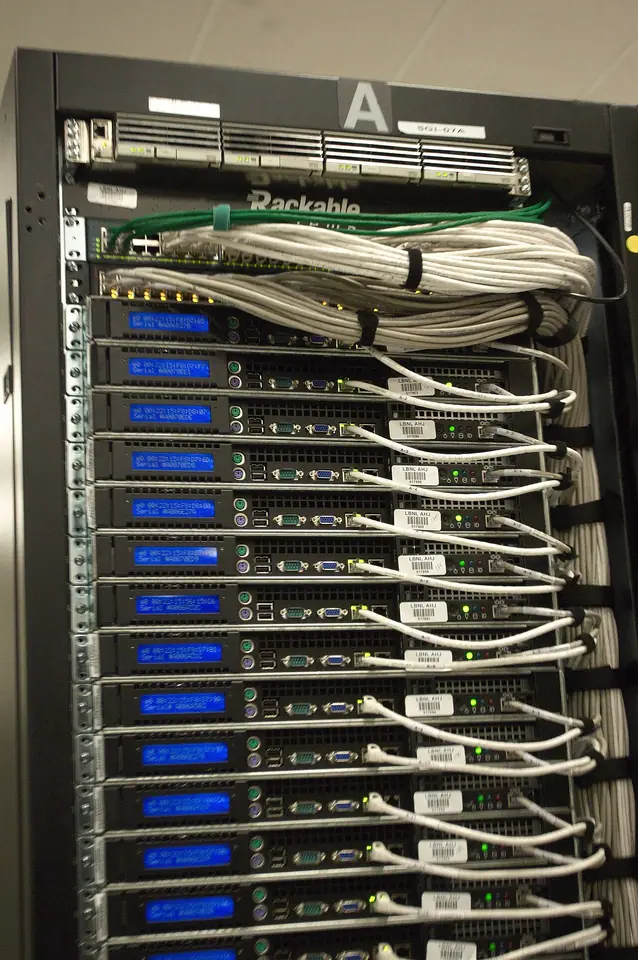
An app boundary should clarify responsibility, not create another silo.
A sales order can trigger work in purchasing, inventory, production or a service team. The handoff should carry the information needed by the next person and preserve the commercial commitment. Choosing apps without agreeing those transitions can reproduce the same disconnected process inside a single platform.
Read each capability page alongside the relevant industry blueprint. The app page explains its role and configuration; the industry page shows how that role fits a particular operating model. The planner can suggest an initial combination, but discovery determines what the business actually needs.
Questions that narrow the app stack.
Use actual activities rather than company size alone to decide what belongs in the first release.
- Do customers buy immediately, receive quotations or need several conversations before an order?
- Do you hold stock, buy specifically for orders, manufacture products or supply services only?
- Does work happen through projects, at customer sites or through support requests?
- Which event authorizes invoicing, and what evidence does finance need?
- Which specialist technical or operational systems should remain connected rather than be replaced?
Verify availability and implementation scope before committing.
Application availability and features depend on the relevant Odoo edition, subscription, hosting and configuration. Some workflows introduce optional applications or Studio, while specialist integrations and reports may require development. A page describing a capability is not a complete licence or project quotation.
Ever Digital can map the selected applications to configuration tasks, data preparation, training and acceptance examples. Current standard implementation packages remain on their own pages. Start with a complete, testable operating cycle and add further scope through a reviewed roadmap.
Apps & capabilities
14 Matching resources
Odoo · Odoo app guide
Odoo Accounting: Transactions, Reconciliation & Financial Control
Plan Odoo accounts, currencies, invoice controls and opening balances with finance-led acceptance. Discuss your Iraq accounting requirements with Ever Digital.
Odoo · Odoo app guide
Odoo Approvals: Internal Requests & Decision Records
Design internal request categories, approvers and decision evidence in Odoo. Assess workflow enforcement and exceptions with Ever Digital.
Odoo · Odoo app guide
Odoo CRM: Enquiries, Opportunities & Follow-up
Turn enquiries into an accountable sales pipeline. Plan Odoo CRM stages, ownership, follow-up and quotation handoffs with Ever Digital.
Odoo · Odoo app guide
Odoo Employees: Staff Records & Organizational Responsibilities
Build a maintained employee directory and organizational structure in Odoo. Assess permissions, data migration and connected HR needs with Ever Digital.
Odoo · Odoo app guide
Odoo Field Service: Customer Visits, Work & Materials
Connect customer site visits with tasks, technicians, materials and billing. Plan Odoo Field Service for your Iraq operation with Ever Digital.
Odoo · Odoo app guide
Odoo Helpdesk: Support Requests & Accountable Resolution
Organize support intake, ticket ownership, escalation and service handoffs in Odoo Helpdesk. Design your support process with Ever Digital.
Odoo · Odoo app guide
Odoo Inventory: Stock, Warehouses & Traceability
Understand Odoo Inventory roles, warehouse decisions, product data and traceability. Plan receipts, deliveries and stock migration with Ever Digital.
Odoo · Odoo app guide
Odoo Maintenance: Internal Equipment & Maintenance Requests
Organize internal equipment, corrective requests and planned maintenance in Odoo. Separate factory asset care from customer field service with Ever Digital.
Odoo · Odoo app guide
Odoo Manufacturing: Materials, Operations & Finished Output
Assess bills of materials, production orders, operations and actual consumption in Odoo Manufacturing. Plan a production pilot with Ever Digital.
Odoo · Odoo app guide
Odoo Point of Sale: Counter Sales & Store Operations
Plan Odoo POS products, sessions, returns, stock and device checks for Iraq retail. Build a practical store rollout with Ever Digital.
Odoo · Odoo app guide
Odoo Project: Delivery Tasks, Time & Milestones
Plan tasks, ownership, time recording and commercial milestones in Odoo Project. Connect project delivery and billing with Ever Digital.
Odoo · Odoo app guide
Odoo Purchase: Supplier Enquiries to Receipts
Plan supplier references, quotations, purchase orders, receipts and bill review in Odoo. Build a dependable procurement process with Ever Digital.
Questions businesses ask
Do we need every Odoo app?
No. Choose the applications that serve an agreed process. Extra apps can add administration and dependencies when their purpose and data ownership are unclear.
Is application availability the same in every edition and plan?
No. Verify the current edition, subscription and hosting requirements for the selected workflow. Optional tools such as Studio can affect the plan and scope.
How do app pages differ from the industry blueprints?
App pages explain a capability and its configuration decisions. Industry pages connect several capabilities into a concrete business workflow, including its exceptions and acceptance requirements.
Sources and factual scope
Capabilities checked against official Odoo documentation. These are planning examples, not promises that every feature is included in a Starter package.
Reviewed:
Ever Digital
Bring your real workflow to the conversation.
Tell us how you sell, stock, deliver or service. We will identify the standard apps, decisions and any extensions your implementation needs.
View Starter packages Current implementation fees and included scope are maintained on the Starter package pages. Odoo licences, hosting and custom work are separate.