


One AI experience, specialized business context
A useful assistant needs the right source records and the right domain tools. Ever AI spans Sales, Solar, Field and Trade rather than becoming a separate business-product slot. The interface can help you understand work across your selected products, but access is still limited by your role, the record and the product capabilities available to the organization. It does not simply see everything because it is AI.
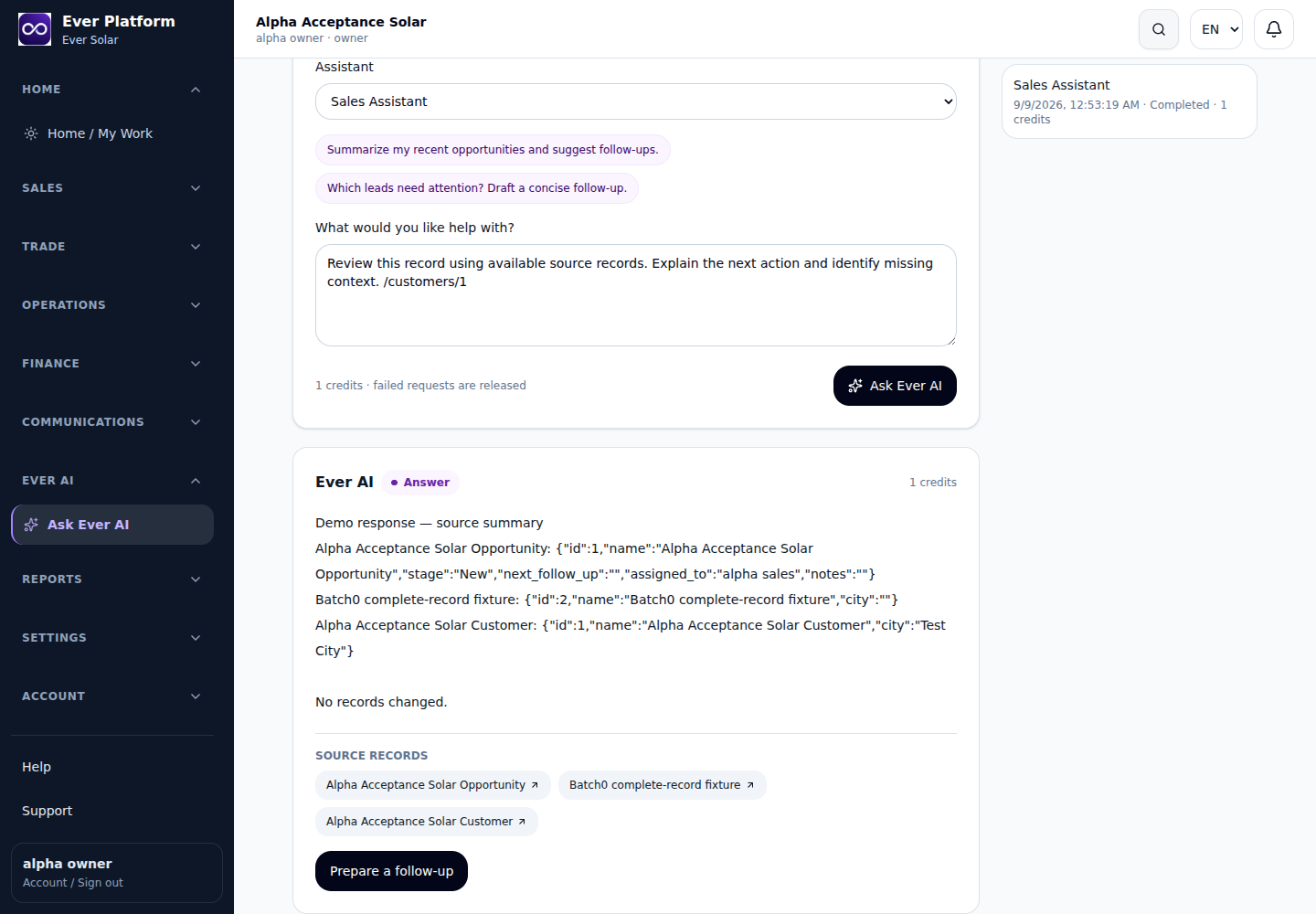
Read → Prepare → Confirm
Read starts with authorized context. Prepare creates a proposed document, wording or action that can be inspected. Confirm is a separate decision by an authorized person. Review the source references, assumptions and affected record before confirming. Saved proposals remain subject to current permissions and source freshness; an old proposal is not a permanent bypass around a changed role, product entitlement or business record.
Sales and customer intelligence
Use the Sales Assistant to prepare a customer summary before a call, examine opportunity history, identify stale follow-up and draft a communication. Quotation preparation can use the permitted sales context rather than an isolated prompt. Ask which records support the answer and check the proposed next step. Communication drafting prepares text for you; it is not authorization to send messages without review.
Solar, operations and field service
The Solar Assistant can help explain the available project context and profitability information. The Operations Assistant and Field/Service Assistant help summarize work, outstanding tasks, site history and service evidence. Before dispatch, ask what a technician should review; after completion, ask for a concise service summary. Technical recommendations and completion decisions still need the responsible person’s assessment and the applicable engineering or safety process.
Purchasing, accounting and management
The Purchasing Assistant can compare supplier/RFQ information and prepare purchase-order work. The Accountant helps explain available financial records and profitability; it does not replace the posted ledger or professional judgment. The Management Advisor can prepare daily briefs and operational analysis from accessible information. Ask for exceptions, their supporting sources and the decision that remains with the manager rather than accepting a confident summary without evidence.
Documents, imports and the quality of your data
Document intelligence and import assistance help prepare information for review. Use data-quality questions to identify unclear fields, missing context or possible inconsistencies before writing business records. The Support Assistant and Knowledge Base help explain how to proceed. Keep private documents inside authorized application workflows. Review extracted values and mappings: AI assistance does not make an unverified document or an incorrect import trustworthy.
Included access, a shared credit system
Ever AI does not consume a business-product slot. Usage is governed by the organization’s credit wallet and applicable allowance, with included credits consumed before purchased credits according to the Platform policy. Purchased top-ups and period allowances are different. The live catalog/account shows the applicable commercial limits; no unlimited AI usage or unapproved credit quantity is promised here. Capacity can grow without buying an unrelated business product.
Evaluate AI with a real business question
A useful demo follows a synthetic customer or project, shows the records available to the user, asks a concrete question, opens the supporting sources and reviews a prepared action. Include a restricted user to verify that unavailable data stays unavailable. This demonstrates how the assistant works with the business rather than relying on a generic chat response or an invented dashboard.
Your questions, answered
Can Ever AI see all company data?
No. Product capabilities, roles, source access and current record state apply. A saved proposal must still pass the relevant checks before confirmation.
Is every AI answer an action?
No. Reading and preparing are separate from confirmation. Inspect the proposed change and its sources before an authorized user confirms it.
Do I need another package slot for AI?
No. AI is included across packages without a product slot. Available domain tools follow your selected products, and usage follows the current credit policy.