

Make the outstanding quantity visible
Wholesale and distribution teams balance recurring dealer demand against replenishment and delivery commitments. A large order can span several receipts and deliveries. The useful question is not only how much stock exists, but how much is promised, what has physically moved and what is still due. Use this solution for straightforward wholesale operations that need a disciplined order cycle.
From enquiry to completed work
Capture dealer terms and quotations in Sales, then manage customer orders and reservations in Trade. Purchasing replenishes the appropriate products and warehouses. Use simple fulfillment and delivery records to distinguish planned movement from completed movement. Partial delivery keeps a backorder for later completion; returns preserve a link to the customer and stock history.
- 1Supplier & RFQ
- 2Purchase & receipt
- 3Stock & reservation
- 4Order & delivery
- 5Backorder or return
- 6Invoice & margin
A business workflow illustration. Confirm your selected products and configuration in a demonstration.
Recommended products and why
Combine Ever Sales + Ever Trade. Choose the package that matches the number of business products you need. Ever AI is included without taking a slot, and all packages support unlimited users. Product choices open workflows; roles still control who can use them. Add capacity separately when storage, credits or other allowances need to grow.
A representative workflow to test
For a mixed-product dealer order, confirm available quantities per line and the agreed delivery sequence. Review substitutions and revised commitments with the customer rather than silently changing product identity. Warehouse teams record what actually leaves; sales teams can explain remaining quantities. Include units of measure, dealer pricing, returns and receivables in the rollout sample, not only a stock-count screen.
An AI example grounded in the work
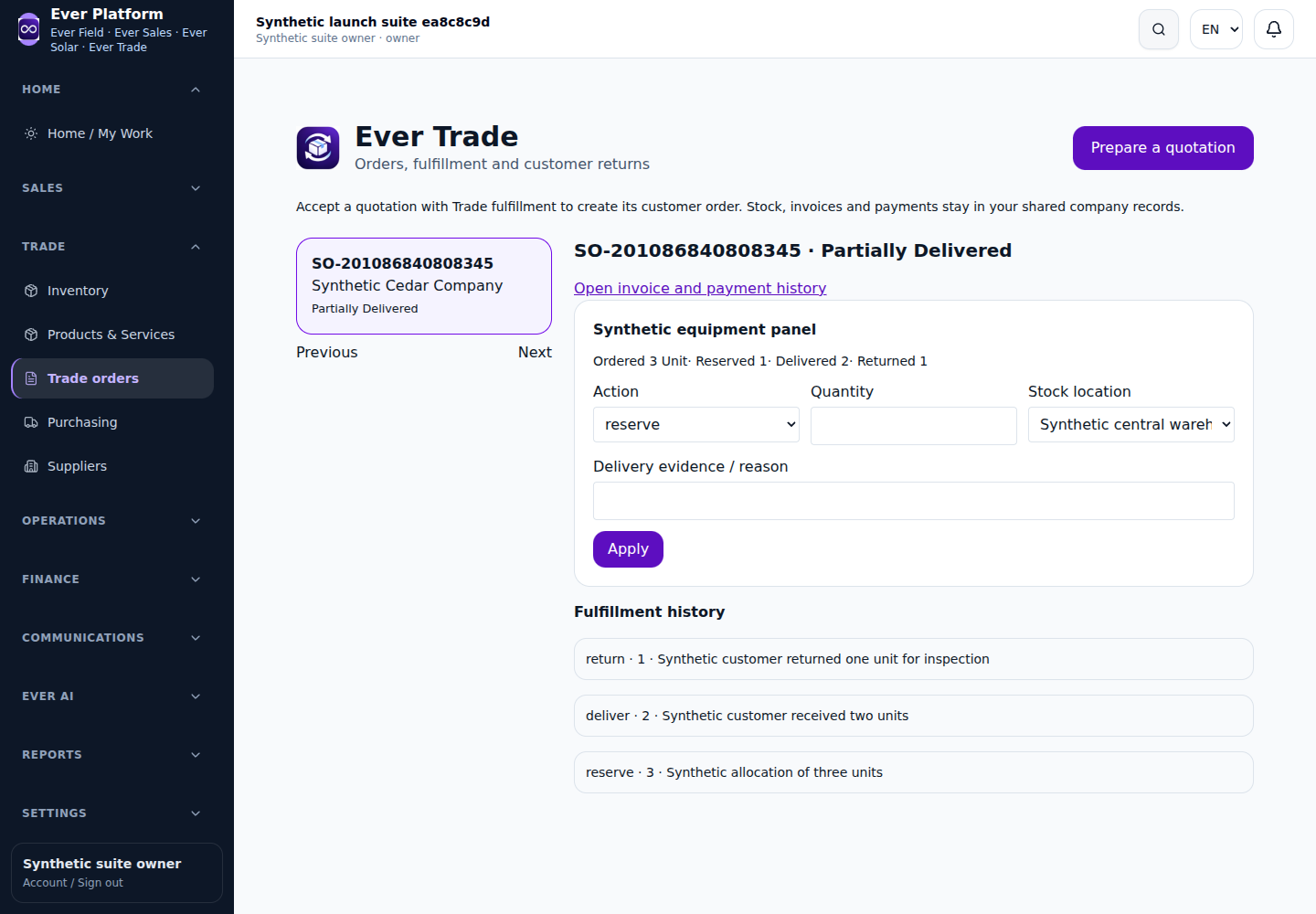
Ask Trade AI to summarize backorders and supplier responses using the available records. A management brief can explain exceptions worth reviewing; it does not create a vehicle route, freight plan or advanced warehouse allocation engine.
Plan the connection and the rollout
If an ERP or accounting system remains in use, agree who owns customer IDs, products, stock movements and posted financial entries. Start with a limited, testable data flow and a reconciliation owner. Odoo is Coming Soon; a custom connection can be scoped through Ever Connect. Bring one realistic synthetic workflow, current documents, user roles and an exception case to the demo so the proposed setup can be reviewed end to end.
Your questions, answered
Can one order have several deliveries?
Partial delivery and backorders keep completed and outstanding quantities distinct. Confirm the relevant order and stock state before each further delivery.
Can we start without an ERP connection?
Yes. Ever can run the selected operational workflows standalone. Treat an ERP connection as a separate scope with explicit data ownership, credentials, testing and acceptance.