01
Disconnected handoffs
A lead in one place. A quote in another. A job update that never reaches the office.
Ever Trade
Simple, capable software for trading, wholesale and distribution. Connect supplier purchasing, inventory, customer orders, partial deliveries, returns and operational finance, with Trade AI beside the record.
 Ever Trade
01
A lead in one place. A quote in another. A job update that never reaches the office.
02
Connect the customer, the next action, the stock and the service history around the work.
Ever Trade is for wholesalers, distributors, B2B dealers and businesses that buy products, hold stock and fulfill customer orders. It brings the purchasing and outbound order cycle together without asking a simple trading company to adopt a freight-management project. Follow what was requested, ordered, received, available, reserved, delivered and returned. Shared customer and product records make the commercial history usable across the selected Ever products.
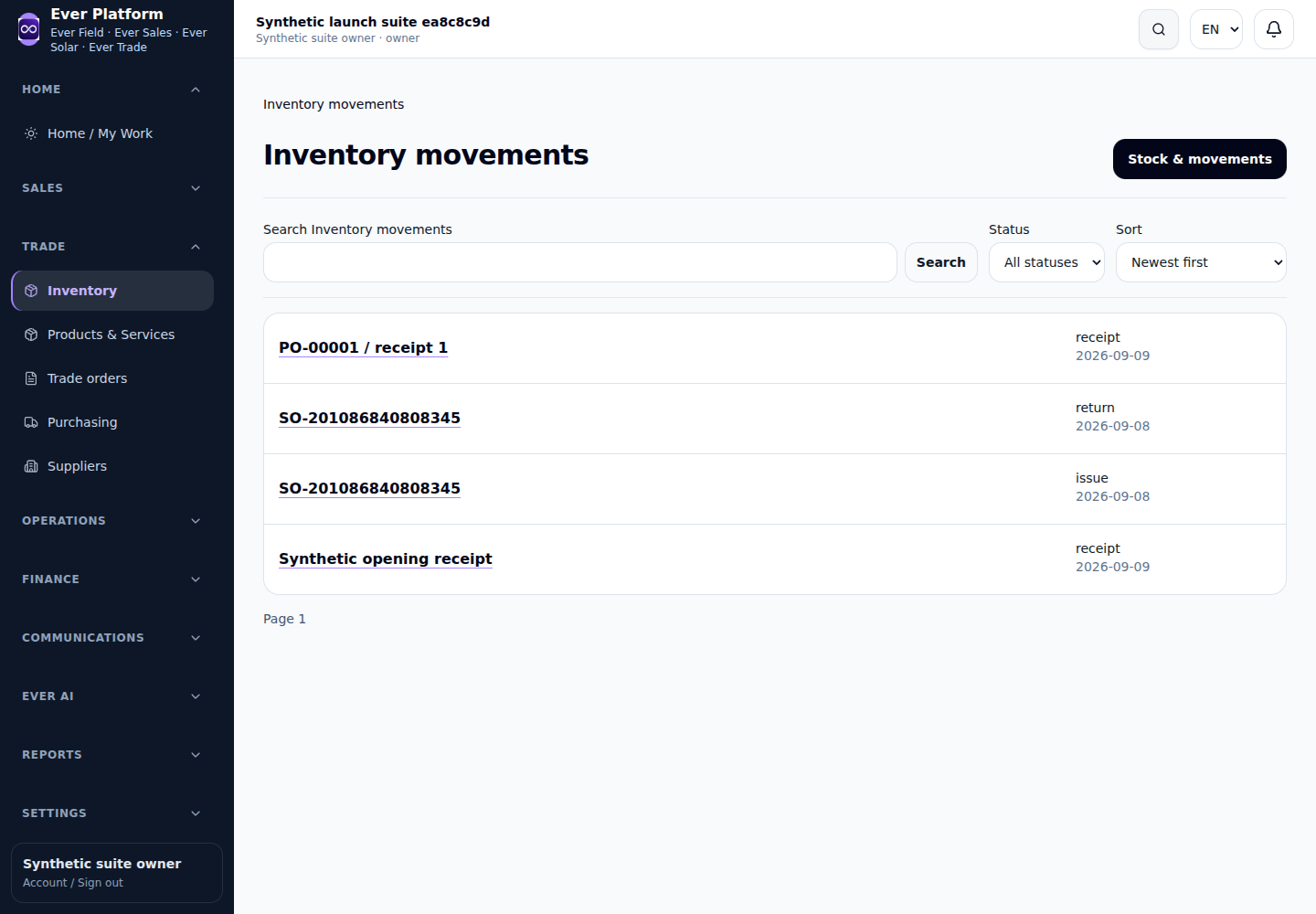
Begin with the supplier and purchase requirement. Use purchase requests, RFQs and supplier comparison to examine the offer, quantities and commercial terms. Prepare the purchase order from the reviewed decision, then record receipts and applicable supplier returns. Supplier bills and payments retain the financial history. A cheaper unit price is not the whole decision: availability, agreed terms and the actual requirement should remain visible.
Maintain product identity, units of measure, warehouse context and stock records. B2B and dealer pricing can sit alongside the customer order rather than in a disconnected price sheet. Reservations distinguish a commitment from stock merely being on hand. Review units and opening balances during implementation; inconsistent product codes or pack sizes make both purchasing and fulfillment harder to trust.
A customer order can move through reservation, simple picking/fulfillment and delivery. If only part is delivered, keep the remainder visible as a backorder rather than closing the whole promise. For example, deliver the available equipment now and retain the remaining quantity for a later delivery. This helps the sales team explain the balance while the warehouse records the actual movement.
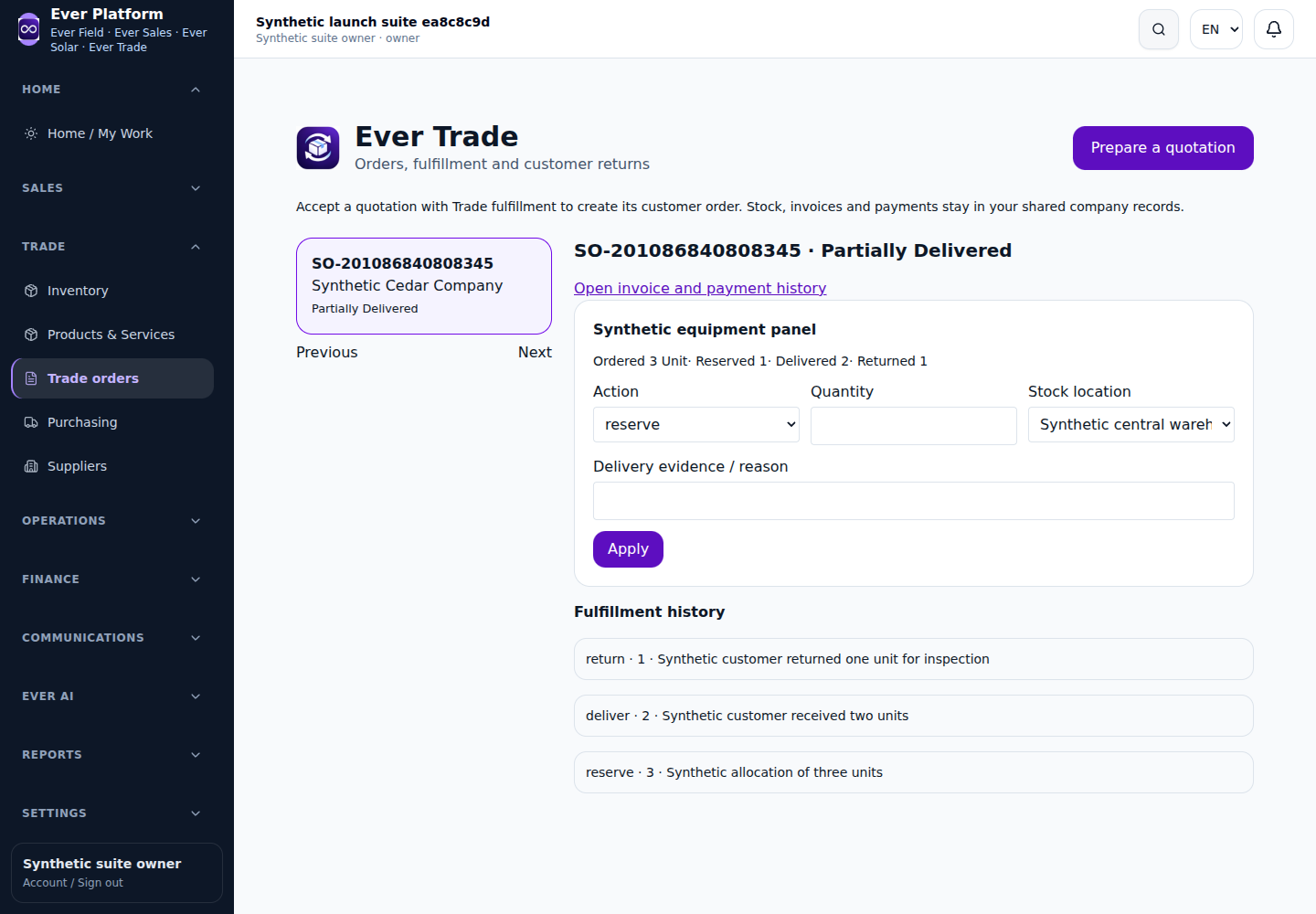
Record customer returns against the commercial and stock history. A return movement does not by itself prove that a cash refund has been made. Customer invoices, payments, supplier bills and treasury activity need their own authorized records. Operational finance and margin reporting help examine the outcome of buying and selling; review costs, quantities and posted records before interpreting a margin figure as final profit.
Ask the Purchasing Assistant to compare available RFQ responses or help prepare a purchase order. Ask for an explanation of customer order status, outstanding delivery or available margin information. The assistant should cite the records it can use and prepare actions for review. Product ownership, permissions, source freshness and confirmation remain in force; AI does not become a separate stock or accounting authority.
Ever Trade covers straightforward purchasing, inventory and distribution. It is not positioned as advanced WMS, MRP, freight forwarding, fleet management, customs, TMS, 3PL or route optimization. Add Ever Sales for a fuller lead/opportunity pipeline and Ever Field when delivered equipment needs service work. For an existing ERP, agree which system owns stock and posted accounts before scoping an integration.
Yes. Keep delivered quantities and the outstanding backorder visible against the customer order. Review actual stock movement before closing the remaining commitment.
No. The focus is simple trading, purchasing, inventory, fulfillment and operational finance, with the scope described above.
Product codes, units, warehouses, opening stock, supplier/customer lists, dealer price rules and one complete purchase-to-return example. Agree ERP ownership if a connection is required.